
Download Instagiffer – create GIFs, YouTube videos, local video files, animation tool, GIF maker, mobile app
Overview
Instagiffer is a mobile application designed for users who want to create custom animated GIFs directly from video content. The app enables individuals to extract and convert specific segments from YouTube videos or local video files into shareable GIFs, making it a practical tool for social media content creators, meme enthusiasts, and casual users. By focusing on simplicity and precision, Instagiffer addresses the common challenge of manually capturing and editing video clips for animated content. The app is particularly useful for those who need quick, high-quality animations without the complexity of full video editing software.
Target users include content curators, digital communicators, and anyone who frequently shares visual content on messaging platforms or social networks. The app’s ability to source directly from YouTube without requiring prior downloads is a significant advantage for users with limited storage space or slow internet connections. This functionality supports real-world use cases such as creating reaction GIFs, highlighting key moments in educational videos, or producing promotional snippets for personal branding. In the broader mobile app ecosystem, Instagiffer fills a niche for lightweight, focused tools that deliver specific creative functions efficiently.
The developer, Instagiffer, has positioned the app as a streamlined solution for GIF creation. Although the developer did not provide additional technical details, the app’s long-standing presence since its release in 2016 suggests a stable and reliable user base. Its continued availability on Android indicates ongoing maintenance, even if updates are infrequent. The app’s minimal size of 3.9 MB further reflects its focus on efficiency and accessibility, making it suitable for older or low-storage devices.
Key Features & Functionality
- YouTube Video Integration: Users can extract GIFs directly from YouTube without downloading the video. This feature saves time and conserves device storage, ideal for users who frequently create content from online sources.
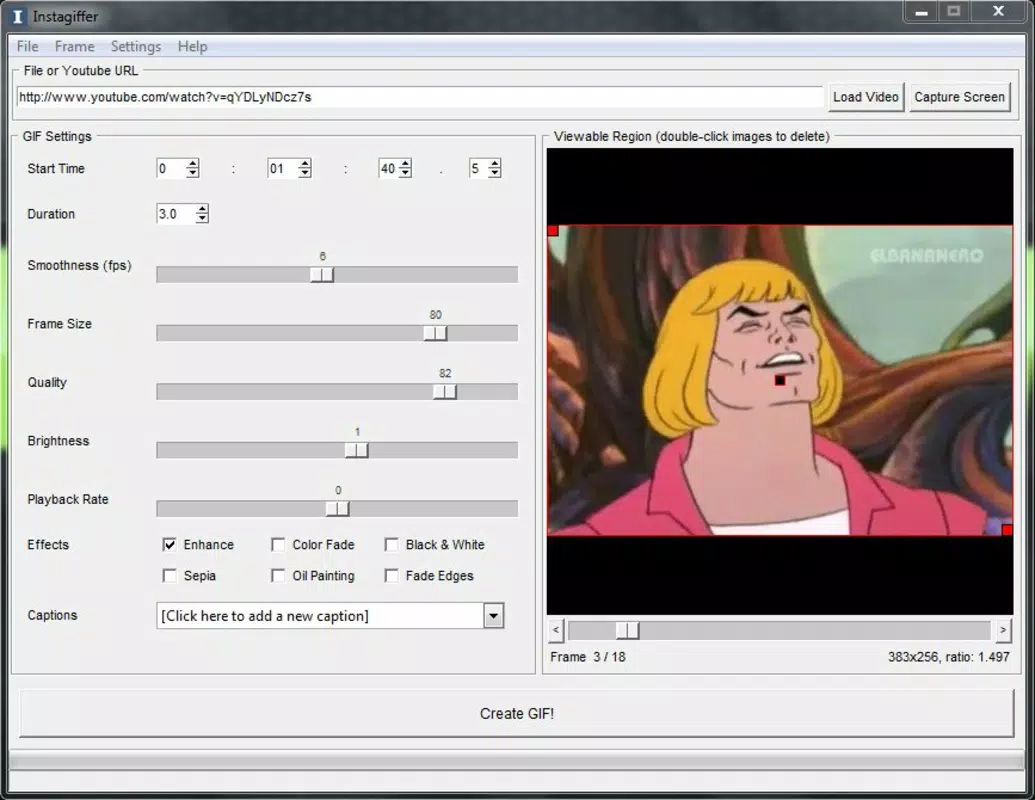
- Precise Timing Control: The app allows setting start times and durations with precision down to tenths of seconds, enabling users to capture exact moments in a video with high accuracy.
- Customizable Output Settings: Options to adjust frames per second, dimensions, and overall quality give users control over the final GIF size and visual fidelity, balancing file size and clarity.
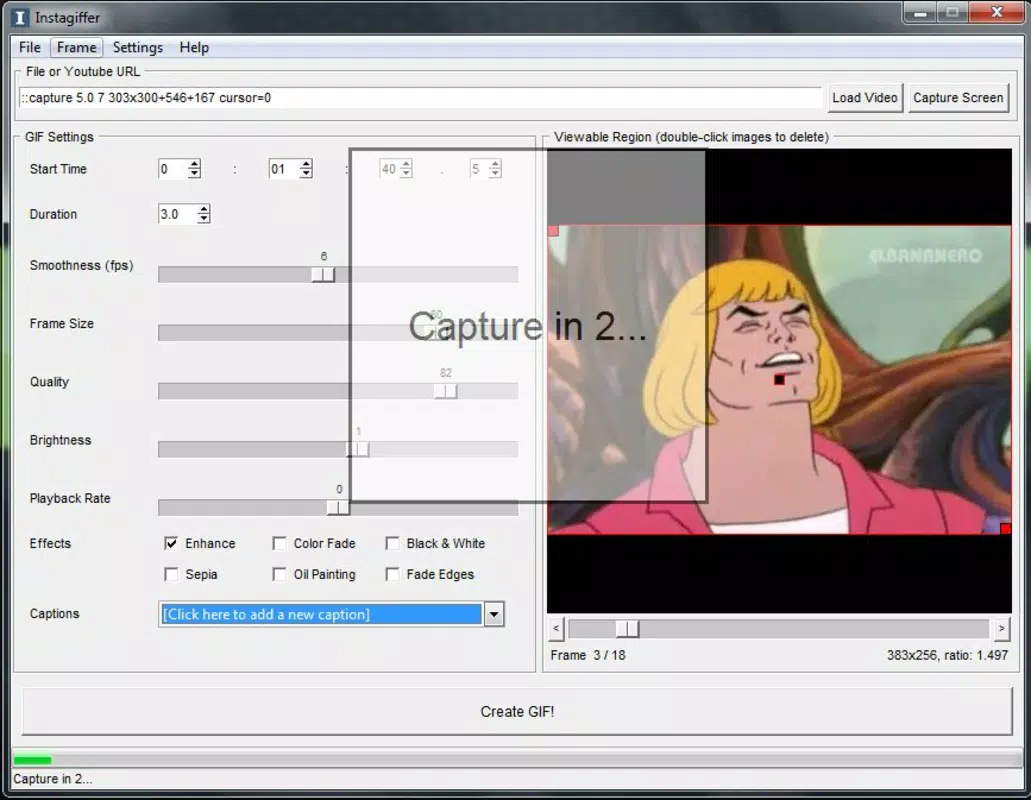
- Text and Special Effects Overlay: Users can add captions or visual effects to their GIFs, enhancing expressiveness and personalization for social sharing.
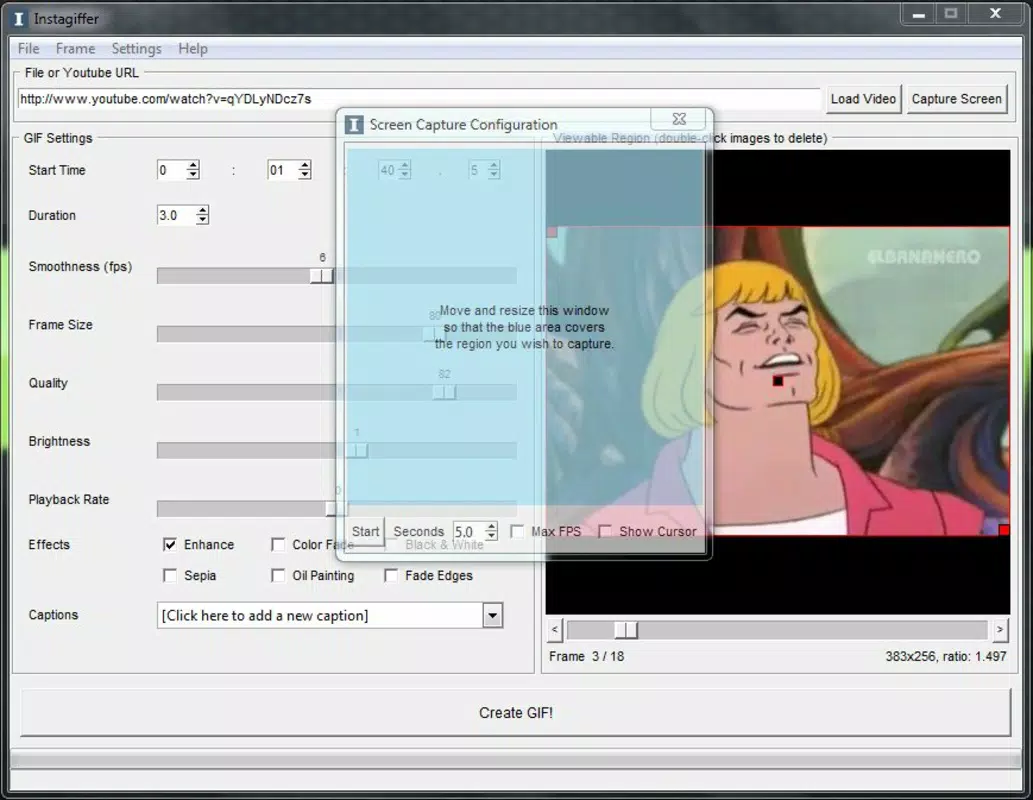
- Local Video Support: In addition to YouTube, the app supports local video files and screencasts, increasing flexibility for users with recorded content.
For example, a student might use Instagiffer to extract a 3-second clip from a lecture video and add a caption explaining a key concept. A social media manager could create a promotional GIF from a product demo video by selecting a highlight segment and applying a subtle animation effect. These use cases demonstrate how the app’s features translate into practical benefits for real users. The combination of source flexibility, precision, and customization makes Instagiffer a versatile tool within the mobile GIF creation space.
Interface, UX & Performance
Instagiffer features a clean and intuitive user interface designed for ease of use across different skill levels. The layout prioritizes core functions—video source selection, timing input, and export settings—ensuring that users can navigate the app without confusion. Navigation is linear and straightforward, guiding users through the GIF creation process step by step. The visual style is minimalistic, focusing on functionality rather than decorative elements, which contributes to faster load times and reduced cognitive load.
Although the developer did not list formal performance metrics, the app’s file size of 3.9 MB suggests optimized code and minimal resource usage. This efficiency likely results in smooth operation on a wide range of Android devices, including older models with limited processing power. Responsiveness appears to be consistent, with quick transitions between screens and minimal lag during video preview. Stability is implied by the app’s long-term availability, though specific crash reports or update frequency were not disclosed.
Users can expect a stable experience when working with short clips, though performance may vary slightly depending on device capabilities and video complexity. The app does not appear to require high-end hardware, making it accessible to a broad audience. Overall, the interface and performance align with the app’s purpose as a lightweight, focused tool for quick GIF generation.
Platform Compatibility & Technical Requirements
Instagiffer is available exclusively on the Android platform. The app supports Android devices running the OS version specified in the latest release, though the developer did not specify minimum OS requirements. The app’s file size is 3.9 MB, which is notably small and indicates efficient resource management. This compact size makes it suitable for devices with limited storage space, including budget smartphones and older models.
Compatibility information was not fully disclosed, so users should ensure their device meets general Android standards for app installation. The app’s version is 2.0.2, suggesting a mature release with established functionality. While no explicit details were provided about supported screen sizes or hardware features, the app’s lightweight design implies broad compatibility across different Android device categories.
Pros and Cons
- Lightweight design with minimal storage footprint (3.9 MB)
- Direct YouTube integration without downloads
- Precise timing control down to tenths of seconds
- Support for local video files and screencasts
- Customizable GIF quality and size options
- Ability to add text and special effects
- Free to download and use
- Only available on Android (no iOS support)
- Developer did not provide detailed technical specifications
- No information on update frequency or future development plans
- Interface may feel outdated compared to modern apps
- Limited to GIF creation—no video editing or export options
FAQ
Is Instagiffer safe to download and use?
Yes, Instagiffer is a free mobile app available on the Android platform. It does not require excessive permissions and operates within standard app security guidelines. As with any app, users should download from trusted sources to ensure integrity.
Can I create GIFs from YouTube videos without downloading them?
Yes, Instagiffer allows direct extraction of video segments from YouTube without requiring users to download the full video, saving time and storage space.
Does Instagiffer support local video files?
Yes, the app supports local video files and screencasts, providing users with flexibility in choosing their source material.
Is the app available for iOS devices?
Currently, Instagiffer is only available for Android. There is no official iOS version released by the developer.
How often is Instagiffer updated?
The developer did not disclose update frequency. However, the app has remained available since its release in 2016, indicating ongoing support, though updates may be infrequent.
Final Thoughts + CTA
Instagiffer stands out as a focused, efficient tool for users seeking to create high-quality GIFs from video content. Its ability to pull clips directly from YouTube, combined with precise timing controls and customization options, makes it a valuable asset for content creators and casual users alike. The app’s minimal size and free pricing model enhance its accessibility, particularly for users on low-storage devices or those who prefer lightweight utilities.
While the interface may appear dated and the lack of iOS support limits its reach, the app’s core functionality remains effective and relevant. For anyone needing a straightforward way to generate animated GIFs from video sources, Instagiffer delivers on its promise. Its balance of simplicity, control, and performance makes it a standout in the productivity category.
Download Instagiffer now


